Search for answers or browse our knowledge base.
Product reviews widgets
Lipscore Widgets are the visible part of your Lipscore services and are usually integrated directly on your site. There is a variety of widgets available and they all serve their specific purpose. Good to know:
- None of the widgets will work without the Initializer Script being present on the page (see below for instructions).
- The language of Lipscore widgets is dependent on the language set up in the Initializer script.
- Most widgets will adapt to the container they are in in terms of width and height.
- Most widgets will inherit the visual styles for fonts/links etc from your site so they should all blend in nicely.
All the previews and codes of our widgets can be found in our Widgets Library which you can also access from the menu in your Lipscore account. Let’s take a look at what the default and customized Product reviews widgets look like, where they are usually located and how they can be used on the website.
Widgets on the Product pages
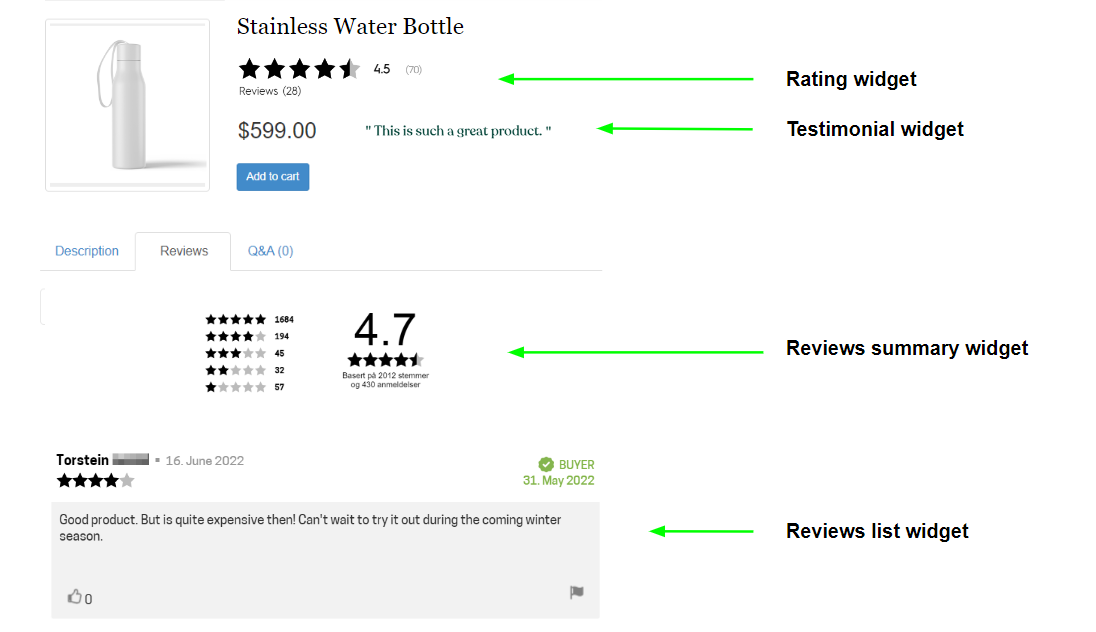
1. Rating widget
Recommended placement
Product page, top of the page, under the product name
Default vs customized
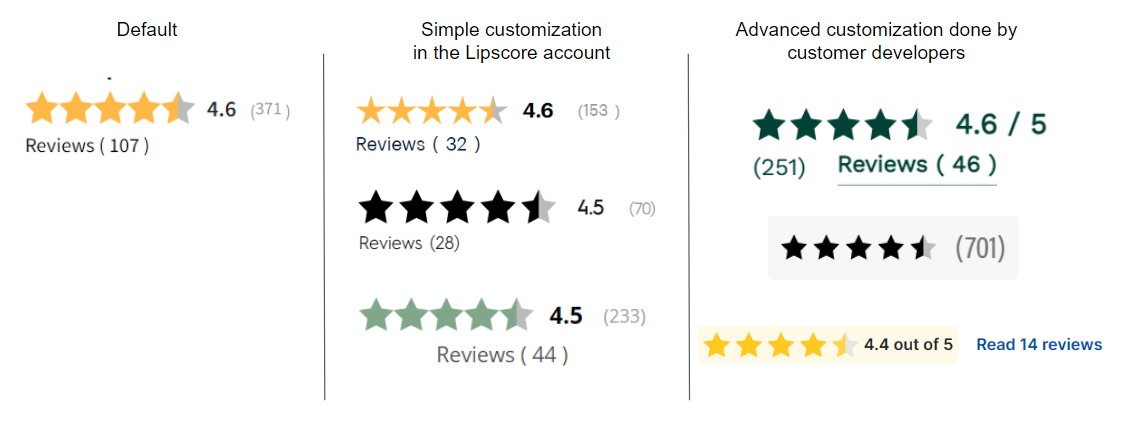
The default widget has black text and yellow stars. The color of stars can easily be changed in the Lipscore account. The color of texts and other elements of the widgets can be changed in CSS in the Lipscore account or in your website code by your own developers.
How it works
Rating widget shows the average score the product received based on a given number of votes. Clicking the Reviews link scrolls the page down to the Reviews list widget.
2. Reviews list widget
Recommended placement
Product page, Reviews tab or page bottom
Default vs customized
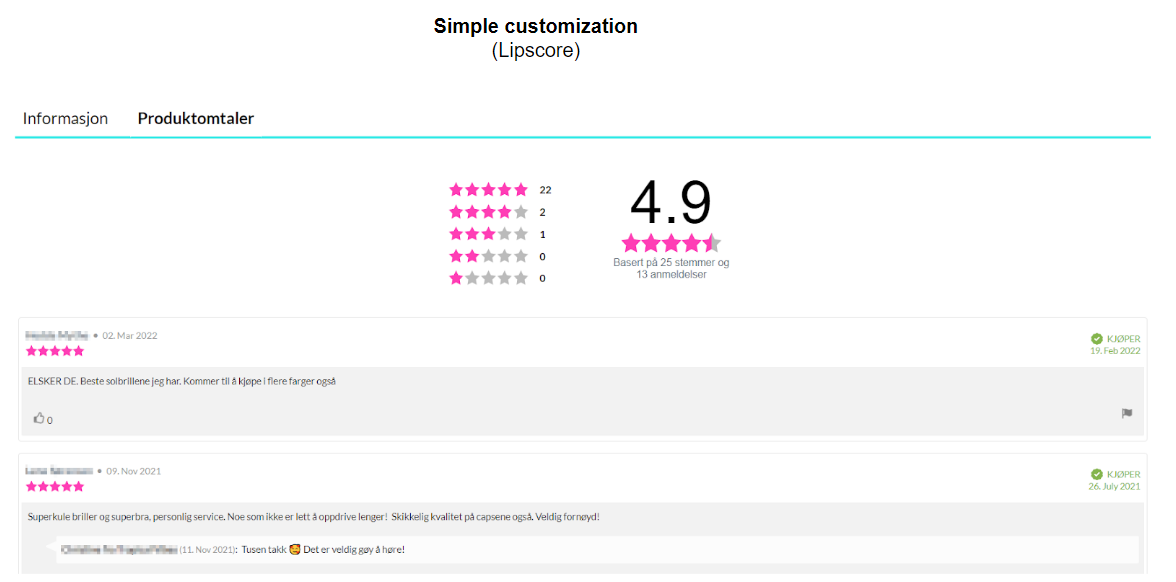
The default Reviews list has gray background and stars are yellow. The color of stars will be changed automatically if they are changed in the Rating widget. The color of texts and other elements of the widgets can be changed in CSS in the Lipscore account or in your website code by your own developers.
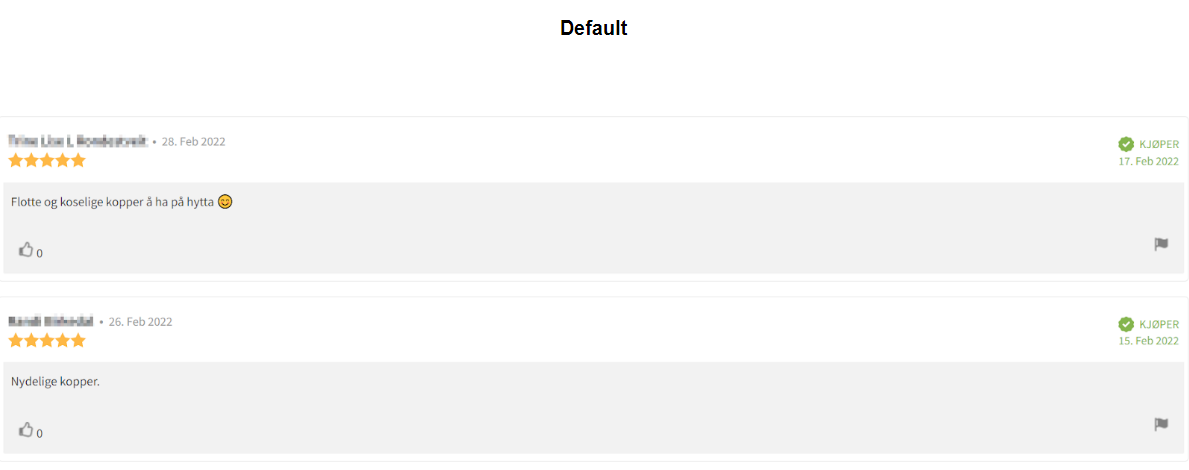
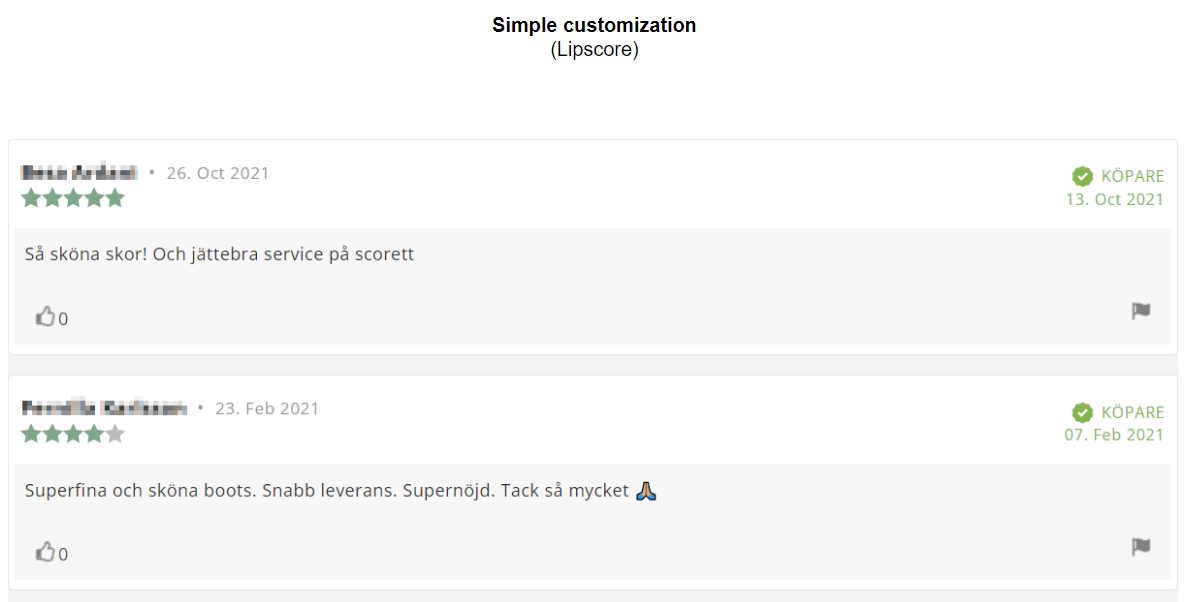
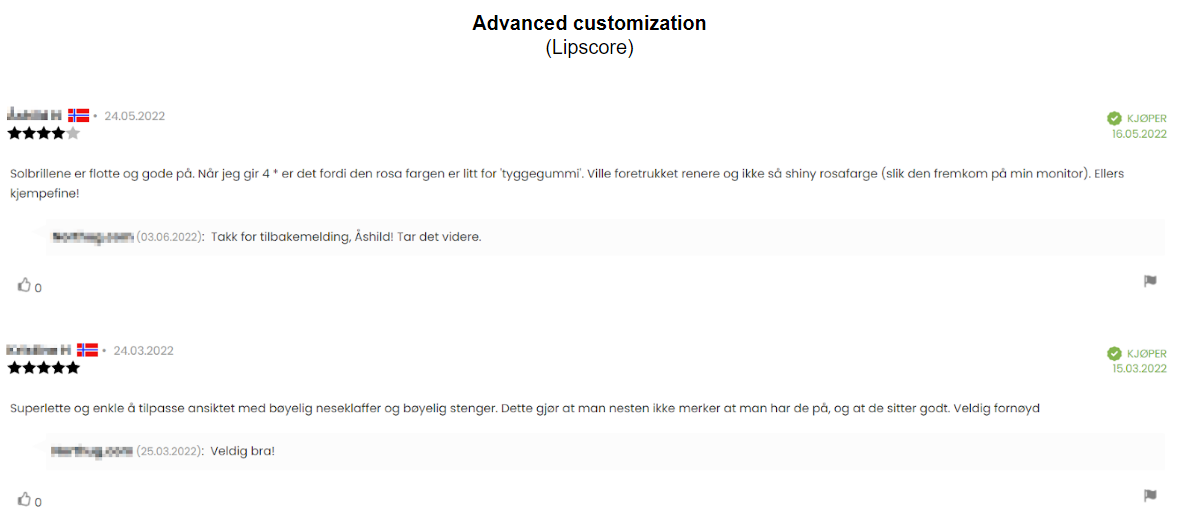
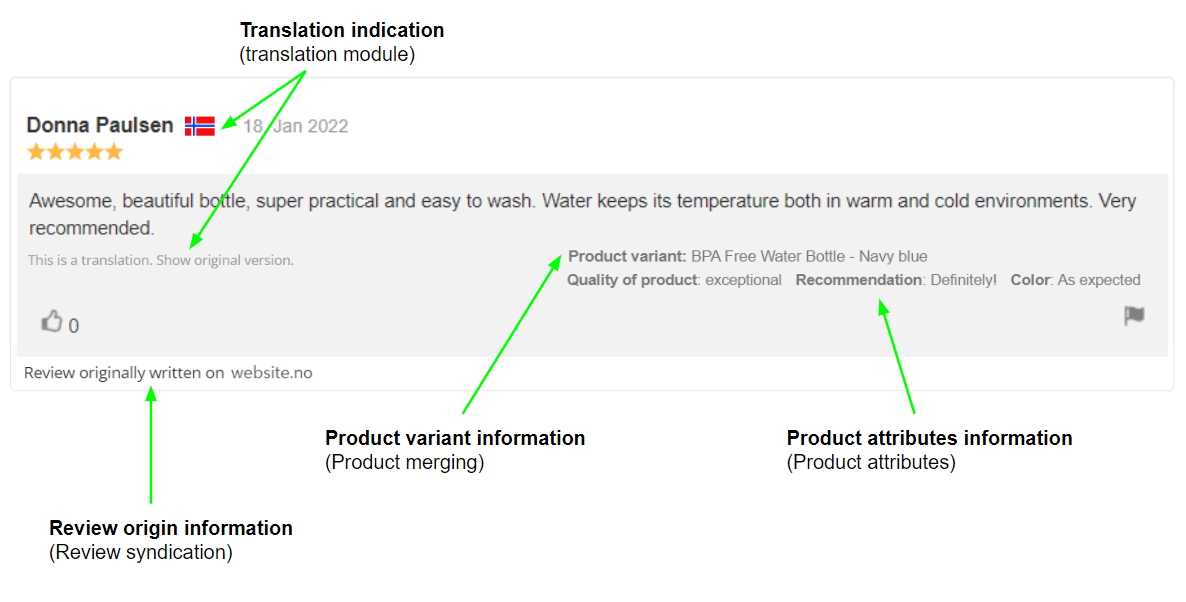
There is a number of functionalities that can be activated in the Lipscore account depending on your needs, which will influence what information will be displayed on individual reviews on the reviews list. Some of them are:
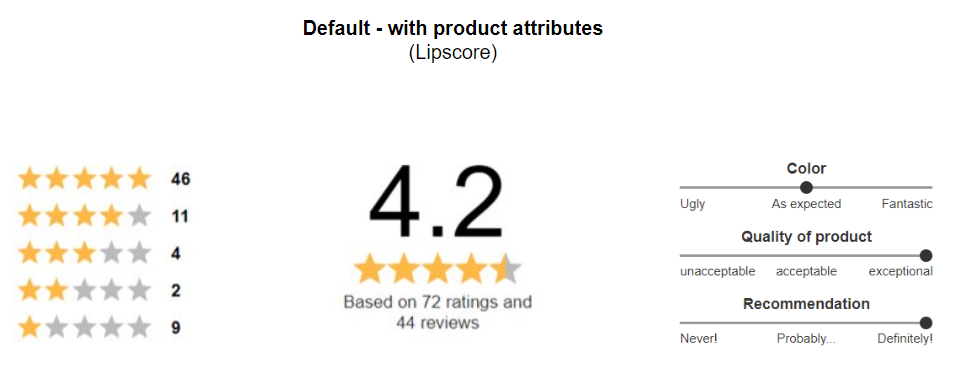
- Product attributes (detailed feedback about products shared by your customers)
- Customer attributes (valuable insights about your customer, relevant to the product)
- Product merging (displaying reviews across all variants of a product)
- Review syndication (displaying reviews across the same products on various websites)
- Translation module (automatic translation of reviews across websites in different countries)
Here is how these functionalities are indicated on the reviews list:
3. Reviews summary widget
Recommended placement
Placement is default, at the top of Reviews list. It can be deactivated via Stealth mode: Widgets > Global Settings > Widget Settings > Stealth mode. Each of the widgets composing the Summary widget can be used separately and implemented in different placements.
Default vs customized
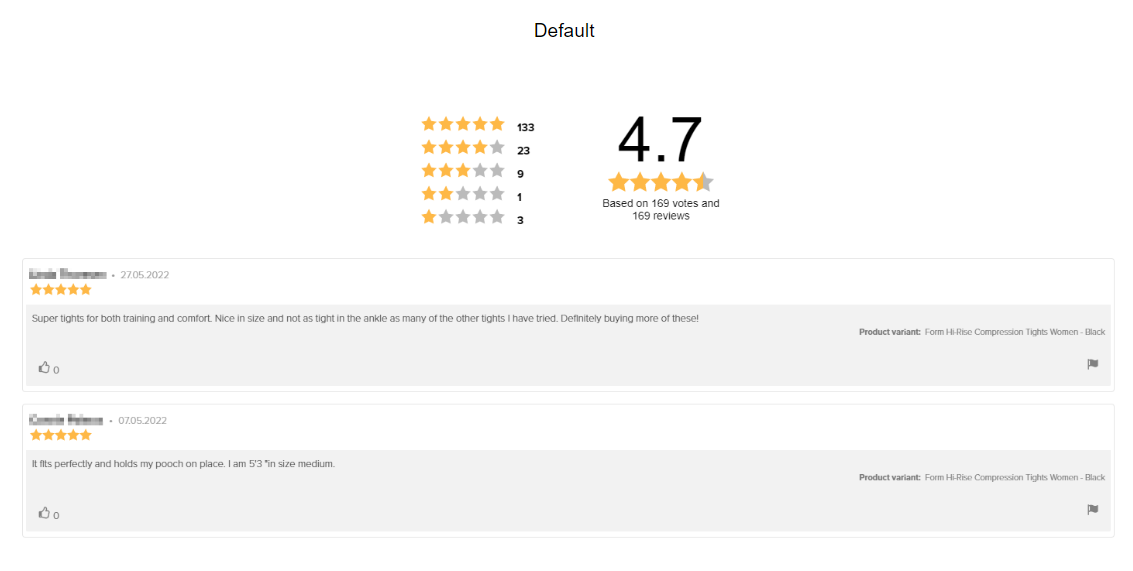
The color of stars in Reviews summary widget will be the same as the color of stars in the Rating widget. The widget can be further customized in CSS in the Lipscore account or in your website code by your own developers.
How it works
Reviews summary shows the average rating the product received based on a number of votes and reviews. Clicking on the stars allows for filtering of reviews based on the star rating. Each of the widgets composing the Summary widget can be used separately and implemented in different placements
4. Product testimonial widget
Recommended placement
Product page, top of the page, close to Rating widget
Default vs customized
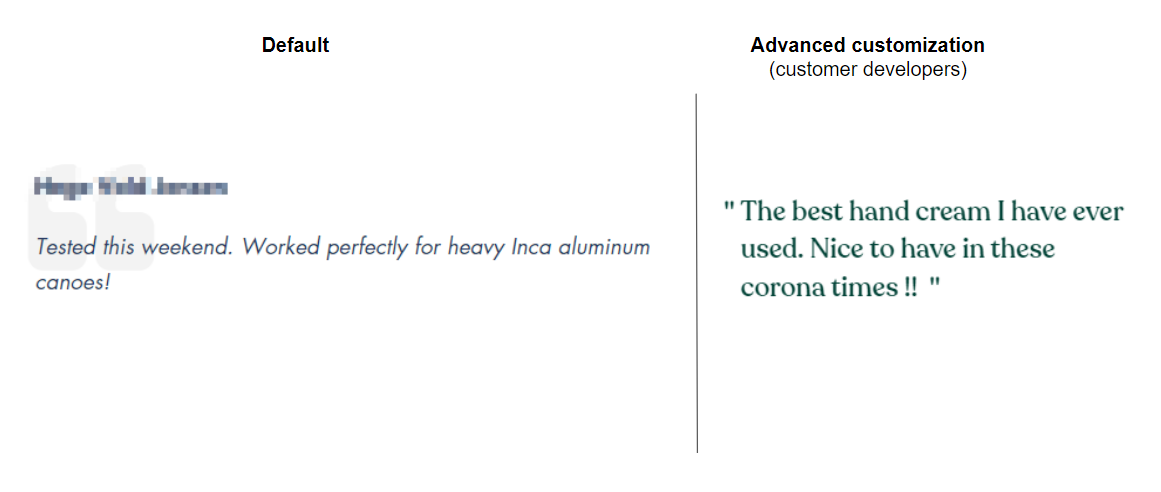
The default Testimonial widget has black text with gray quotation mark in the background. The widgets can be changed in CSS in the Lipscore account or in your website code by your own developers.
How it works
Testimonial widget selects a random 5-star review from the list and presents it wherever it is implemented (e.g. a the top of product page). If you notice a review that you do not want displayed as testimonial, go to Lipscore account and Published reviews, look for the review (search by text) and untick the Mark review as testimonial checkbox.
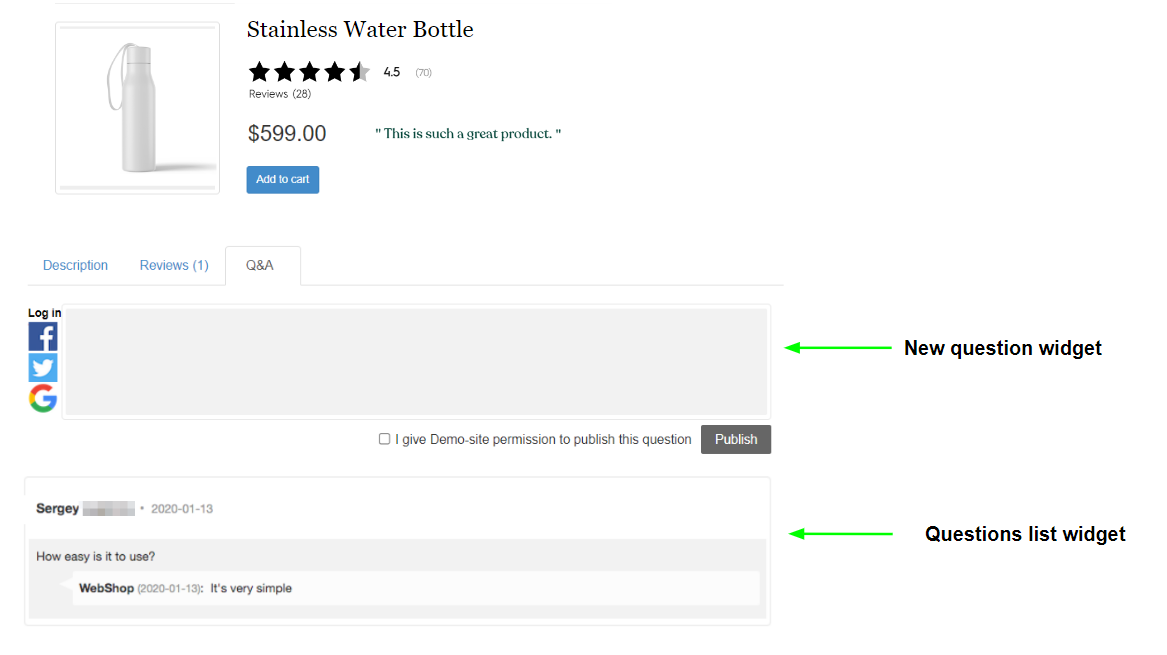
5. Q&A
Recommended placement
Product page, bottom of the page or Q&A tab
Default vs customized
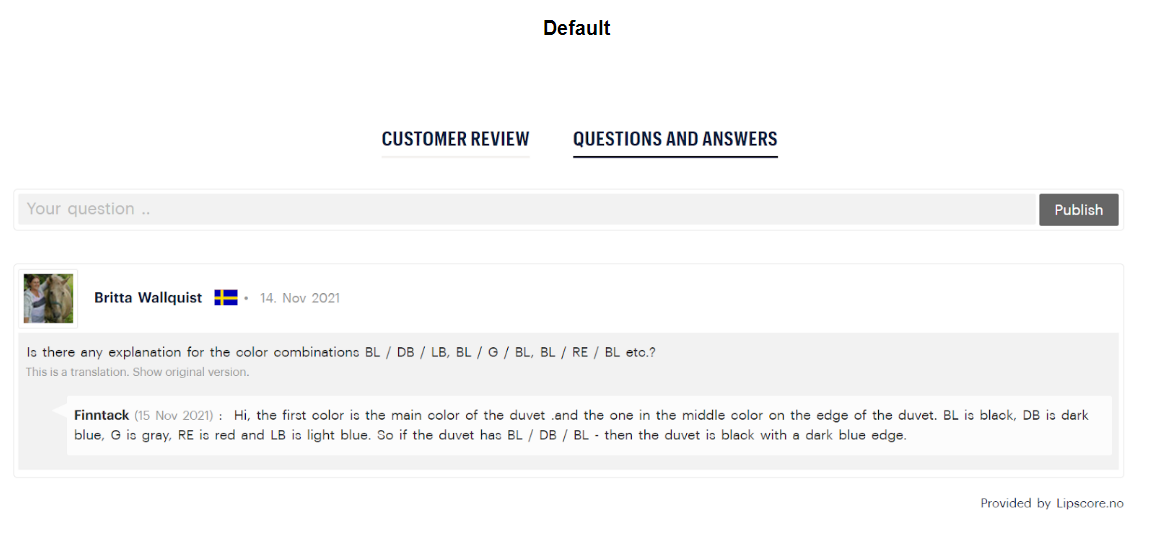
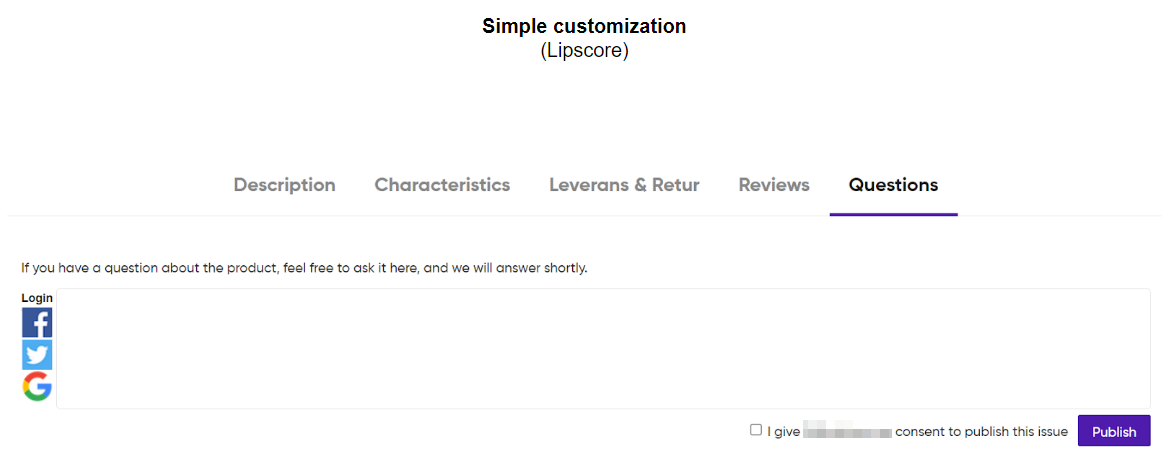
The widgets can be changed in CSS in the Lipscore account or in your website code by your own developers.
How it works
Customer browsing through the product page can log in with their social account and leave a question. You will get an email notification (sent to email address specified in Settings – General – Notifications) about a new question. In the Lipscore account Questions section you first decide whether you want to publish the question with your answer or not (uncheck the Publish this question checkbox or leave it checked), write your reply and Publish. Regardless of whether you publish the question and answer or not, the user will receive an email informing them about your reply.
Exemplary product page with all widgets
Homepage widgets
The widgets presented above are meant for displaying reviews about Products. There is a range of widgets that display reviews about Service, meaning overall shopping experience, interaction with your support team, delivery services, etc. These are usually located on the homepage. Go to the article about Service reviews widgets to learn more.